

Web & data
Build a Live Calendar and Tracking System
Before you build a scheduling system, check what off-the-shelf tools already do. See the seven decisions that determine whether a custom build is worth it.

A customer books the 10:00 slot while a coordinator assigns the same technician from another screen. A cancellation changes in one calendar but never reaches dispatch. A field engineer drives across town for an appointment that moved. The shared calendar did not merely become inconvenient; it wasted scarce capacity and asked customers to trust a schedule the business could not enforce.
The instinct is to build a live calendar and tracking system. The honest first step is to identify the one capability the current tool lacks and test whether a paid tier, configuration or integration already provides it. This ends a meaningful share of custom projects, which is a good outcome.
When a custom build is justified, the calendar grid is the easy part. Cost and risk sit in resource constraints, recurring exceptions, civil time, concurrent booking, external synchronization, notifications, cancellations and evidence of what happened.
Name the one feature you cannot buy
Write one sentence: “Our current system cannot _____, which causes _____.” Keep it observable. Examples include:
- reserve a technician, vehicle and specialist tool as one atomic booking;
- price an appointment through a customer-specific rule and require approval above a threshold;
- expose marketplace availability while hiding provider identity until purchase;
- schedule a recurring care plan with controlled exceptions and role-based notes;
- route field work by geography, skills, travel time and service window;
- write appointment outcome and billable duration back to the CRM and invoice; or
- operate inside an existing customer portal with one identity and workflow.
Now test the sentence. Review the product’s current documentation, API, integrations and higher plans. Build a small proof using representative rules. An off-the-shelf booking tool may already cover staff availability, buffers, deposits, reminders, recurring appointments and calendar connections. An automation platform may bridge a missing update without replacing the scheduler.
If the real problem is that nobody maintains availability, confirms changes or resolves exceptions, software will not remove it. The better answer may be calendar management for business owners. If a configurable product meets the requirement with acceptable controls and total cost, buy it.
The seven decisions that define the system
1. Who or what is scheduled?
Identify the scarce resource: a person, room, vehicle, bed, machine, piece of equipment or a combination. A single-resource appointment needs one availability check. A multi-resource booking must find and reserve every required resource together. If the room succeeds but the technician fails, the system must release the room rather than leave a partial reservation.
Define skills, locations, capacity, substitution and maintenance. Can any nurse provide the service, or only a named clinician? Can a vehicle support two deliveries at once? Can equipment travel between sites? These are business rules with data and interface consequences.
2. How is availability expressed?
Availability combines working hours, breaks, leave, lead time, appointment duration, setup and travel buffers, blackout dates, capacity and temporary overrides. Decide which rule wins when they conflict. A schedule can be “open” under working hours and unavailable because a room is closed or a service needs two hours of notice.
Show users why a slot is unavailable without revealing private calendar details. Give authorized staff a controlled override with a reason and audit record. Availability rules produce many support questions because people see the final slot, not the layered rules that removed alternatives.
3. How do recurrence and exceptions work?
A recurrence rule defines a repeating pattern. The iCalendar standard, RFC 5545, specifies recurrence through start, rule, additional dates and exclusions. A production design still needs product decisions: edit only this occurrence, this and future occurrences, or the entire series; move one occurrence; cancel one; and preserve an already completed visit when the series changes.
Do not generate years of instances without bounds unless the use case requires it. Store the series definition and materialize a controlled horizon. Give each exception a link to its series and original occurrence so synchronization does not recreate a cancellation.
4. How do time zones and daylight saving work?
Store an appointment instant in a standard reference such as UTC and retain the named IANA time zone that expresses the intended local civil time. Render for the viewer in the appropriate zone. An offset such as UTC−5 is not a time zone; its relationship can change with daylight-saving rules.
Recurring events need an explicit policy. “Every Monday at 09:00 America/New_York” normally stays at nine local time while its UTC instant shifts at daylight-saving transitions. “Every 168 hours” behaves differently. Decide what the business means and test the spring-forward and fall-back boundaries, including nonexistent and repeated local times.
The IANA Time Zone Database is updated periodically when political bodies change offsets and daylight-saving rules. At the time of writing, its release history already shows multiple 2026 updates. Keep the application runtime and zone data current, and retest affected future bookings after an update.
5. How are concurrent conflicts prevented?
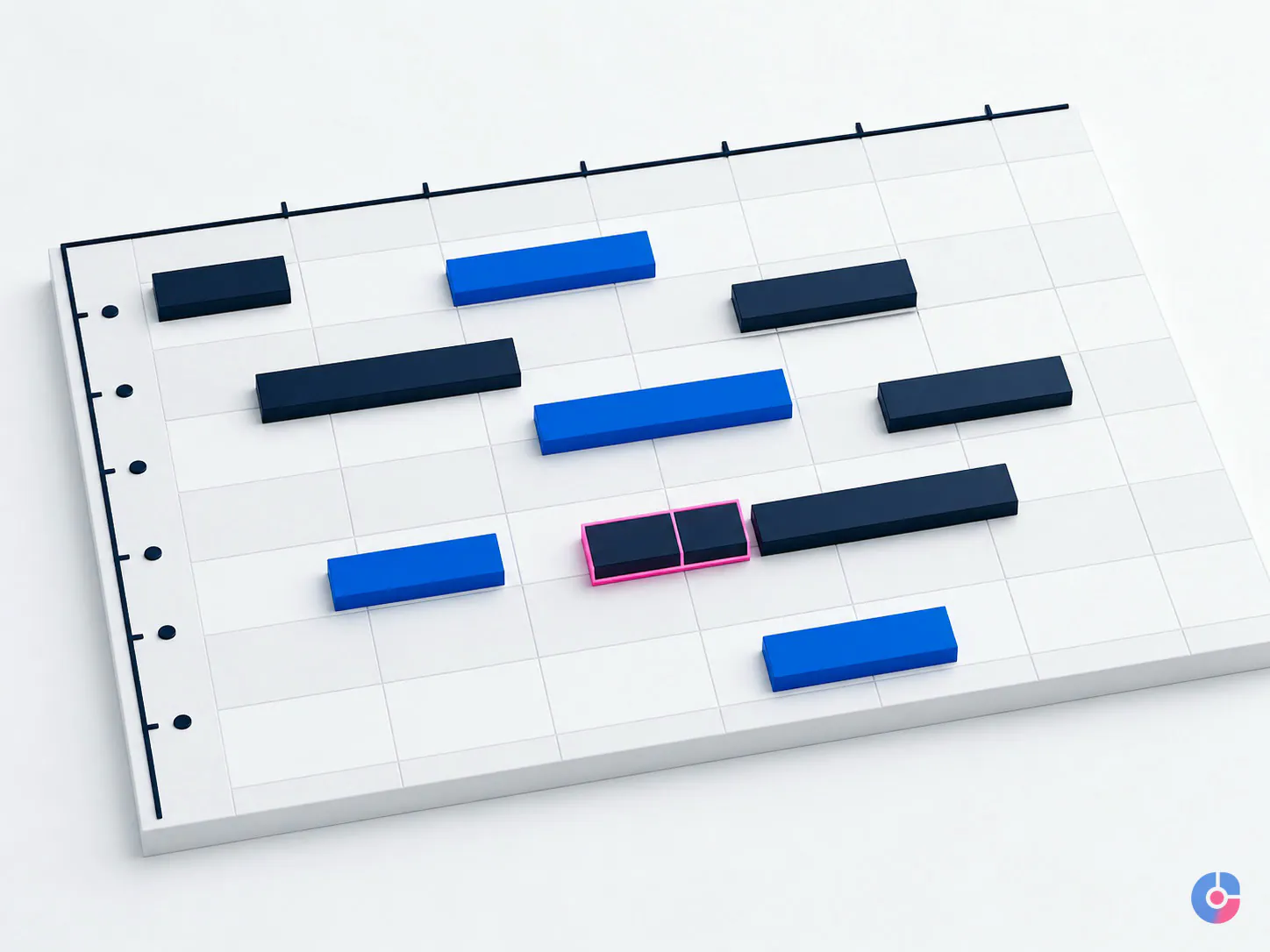
A naive interface checks that a slot is open, pauses while the user confirms, then writes the booking. Two users can pass the check before either writes. Both succeed and the resource is double-booked.
Prevent the conflict in the database transaction, where all writers meet. Use a constraint, lock or conflict-safe reservation design appropriate to the database and time-range model. Optimistic locking means the system writes only if the record version has not changed since it was read; a loser refreshes and chooses again. The interface can provide a helpful warning, but it cannot be the sole control.
Use a short-lived hold for checkout when needed, with clear expiry and idempotent confirmation. Idempotent means retrying the same confirmed request does not create a second booking. Test simultaneous requests, network retries, payment delay and expired holds.
6. How does external calendar sync work?
Define which system is authoritative for each field and direction. Does an Outlook event block internal availability? Can an internal cancellation delete an external event? What happens when the user edits title, time or attendees in both systems before synchronization completes?
Polling asks the external service for changes on a schedule. A webhook is an HTTPS notification sent when a watched resource changes. A webhook is usually a prompt to fetch; it may not contain the changed content and can arrive late, more than once or out of expected sequence.
Google Calendar provides push notifications and incremental synchronization. Its push guide says notifications do not contain the changed resource, requiring another API request. Its sync guide requires an initial full sync followed by stored sync tokens, includes deleted entries and says invalidated tokens require a new full sync.
Microsoft Graph supports change notifications and delta queries for calendar views. Delta tracking is scoped to a calendar and date range, so the application must maintain each required view and token. For both providers, plan authorization expiry, revoked access, rate limits, subscription renewal, resync and conflict logs. “Real time” means low-latency eventual synchronization, not one atomic transaction across companies.
7. What happens when anything changes?
Write cancellation, reschedule, late-arrival and no-show rules. Define cut-offs, fees, approval, resource release and who must be informed. Notifications should describe the change, effective time and next action. Decide how email, SMS, in-app and staff alerts fail over and which are legally or operationally required.
Keep an append-only audit trail for material actions: who or which integration changed what, previous and new values, time, reason and correlation ID. Do not expose private note content in customer notifications. Preserve the business record when an external event is deleted.

The tracking half is more than a status label
The business rarely wants a calendar for its own sake. It wants to know whether the appointment occurred, what work was completed, how long it took, what evidence exists, whether follow-up is due and whether capacity was used well.
Define a controlled state model: requested, held, confirmed, in progress, completed, cancelled, no-show and failed may be suitable, but each transition needs an actor, permitted previous state and timestamp. Do not let users jump from requested to completed without the evidence the business requires.
Capture planned versus actual start and duration, outcome code, reason for cancellation or no-show, resource used, notes, attachments and follow-up task according to privacy and retention rules. For field work, offline operation may be necessary: queue updates locally, identify conflicts on reconnect and show the user what did not synchronize.
Reporting should answer actual decisions: utilization by resource and service, completion rate, cancellation and no-show patterns, schedule lead time, travel or buffer loss, overtime risk and follow-up age. Define denominators and exclusions. Do not import a no-show revenue estimate from another sector; calculate direct and opportunity cost from the service, price and recoverability in your operation.
Integration turns a calendar into an operating system
A CRM connection provides customer identity, account owner, history and follow-up. Invoicing converts an eligible completed appointment into a draft or approved charge. Messaging sends confirmations and reminders under the correct consent and channel rules. Mapping estimates travel and supports route planning. Payroll or timesheets consume approved actual work, not merely scheduled time.
Each integration adds authentication, mapping, error handling, rate limits, version changes, monitoring, privacy and support. Define source of truth and reconciliation. If an invoice write fails after the appointment is completed, the system needs a durable retry and an exception queue; it should not ask the user to recreate the appointment.
Prefer stable identifiers over names and timestamps. Record the external ID, internal ID and synchronization version. Keep integrations loosely coupled through events or queued jobs where feasible so a messaging outage does not prevent core booking.
Build, extend or buy
| Choice | Best fit | Main weakness |
|---|---|---|
| Buy a scheduling product | Common booking rules, standard reminders, straightforward resources and acceptable workflow | Configuration boundaries and vendor roadmap |
| Extend through API/integration | Core scheduling works, but one or two systems, reports or approval steps are missing | Two products and an integration must remain compatible |
| Custom build | Scheduling is core intellectual property or depends on unusual multi-resource, pricing, approval or marketplace logic | Highest build, security, maintenance and support obligation |
A custom build is usually more expensive initially and often over its life. It can become economically rational when licensing and manual work at scale exceed ownership cost, when the process creates genuine competitive value, or when no product can safely express the constraints. Prove those conditions with volumes, process cost, available APIs and a five-year ownership view.
“Our process is unique” is a hypothesis. Test the current tool’s API and paid plans against the one missing feature. If customization would reproduce 95% of a mature product to gain one cosmetic difference, buy. If it controls scarce resources through rules the business sells, consider building.
Maintenance is the real budget line
After launch, maintain external API versions, OAuth consent and refresh behavior, webhook subscriptions, sync recovery, IANA time-zone data, operating-system and browser changes, notification templates, sender authentication, SMS registration, accessibility, security patches and backups.
Users will find the edge cases: a series edited after three completed occurrences, a booking moved during a payment retry, a provider calendar reconnected after months, a resource removed while future appointments exist, a daylight-saving rule changed by law, or an offline update that returns after cancellation.
Budget monitoring, support, incident response, test automation, dependency updates and periodic access review. Track sync lag, failed notifications, expired subscriptions, conflict frequency, job retries, queue age and reconciliation gaps. A system can remain online while its external calendars quietly drift.

A phased delivery plan that reduces risk
- Discovery and buy test. Define the scarce resource, one missing feature, constraints, current process, success measures, data, security and five-year alternatives. End the project if a product or integration meets the need.
- Prototype the dangerous rule. Prove multi-resource selection, concurrency or another unique constraint with representative data before polishing the calendar.
- Release one. Support one resource type, a single operating time zone, core availability, conflict-safe booking, cancellation, audit trail and one-way calendar publication. Add manual exception tools.
- Pilot with one operating group. Measure booking conflict, completion, support requests, update latency and manual repair. Observe how staff actually use overrides.
- Add tracking and reconciliation. Implement status transitions, actual duration, outcome, exception reports and links to the business system that needs the result.
- Add two-way sync deliberately. Define ownership and conflicts, implement webhook plus incremental retrieval, handle deletion and resync, and monitor drift.
- Expand complexity from evidence. Add resource combinations, zones, recurrence, payments, routing or approvals only after live use demonstrates the rule and its priority.
Building every imagined rule before real use produces a large system around untested assumptions. A narrow first release does not mean ignoring architecture; it means proving the high-risk domain decisions while change is still affordable. To turn the decision set into a product scope, book a scoping session for your scheduling system.
Bring the current tool, the one rule it cannot express, representative resources and three edge cases that have caused real loss. We will map build, extend and buy paths before selecting a technology. You can also book a free consultation or email support@ovelit.com.
Keep reading
Related insights

Shopify Store Support Services: A Guide
A Shopify store needs weekly upkeep, not occasional fixes. See the support tasks that protect revenue, who should own each, and what…

Shopify vs WooCommerce: Which to Choose
Shopify and WooCommerce both work. The difference is who carries the maintenance and where the cost lands. Compare both against your team…

How to Choose a Web Development Company
Choosing a web development company in the USA or Europe? Use these nine selection criteria to judge proposals, ownership terms and post-launch…