

Remote staffing
Email Management Services for Busy Teams
Outsourced email management triages your inbox, drafts replies, chases follow-ups and removes the decisions that never needed you. Reclaim your morning.

You open a message, decide it can wait and close it. Later you reopen it to remember what it needed. Tomorrow you read the same thread a third time because no owner, action or follow-up date was recorded. Meanwhile, the important message is answered late and the trivial one is answered quickly because it was easier.
That is not a message-volume problem. It is an unresolved-decision problem.
OVELITHUB’s email management services give a named assistant written authority to make defined decisions in one principal or shared internal mailbox. The assistant triages, handles approved requests, drafts replies, protects urgent exceptions, maintains follow-ups and removes mail that needs no action. The measure is not how neat the folders look. It is how many legitimate decisions no longer need to interrupt you.
The inbox is not a message problem, it is a decision problem
Labels, rules and unsubscribe tools can reduce visual clutter. They do not decide whether a familiar client is becoming quietly dissatisfied, whether a routine request falls outside the agreed terms, whether a copied thread now needs action or whether a delayed quote should be chased today.
The principal usually holds those rules in memory: this client prefers a call; that supplier needs a purchase-order reference; this partner can receive the standard pack; legal language goes straight to counsel; Thursday’s introduction matters because the launch is next week. Without transferring that judgement in bounded form, an assistant can only rearrange messages and ask what to do.
Email management begins by converting repeated decisions into rules, examples, thresholds and exceptions. If a client is not ready to delegate any judgement, the service is probably premature. A short observation period can reveal the opportunity, but continuing to route every decision back to the same person will not reclaim the morning.
Readers who are still preparing the handover can review how to delegate inbox management. This page describes the operating service once a real mailbox is placed in scope.
What an email manager does that a filter cannot
A filter can route a sender, subject string or keyword. It is useful for known newsletters, automated receipts and stable system notifications. It should be used where the rule is reliable.
A trained person reads intent and context. The same words—“following up”—can be a routine nudge, a client signalling frustration, a contractual deadline, an introduction awaiting acceptance or a sales message that should never reach the principal. The assistant can compare the thread with the approved rule, current priorities and known relationship, then place it in the right decision bucket.
Human judgement still has boundaries. The assistant does not infer legal meaning, commit the business to new terms, conceal bad news or impersonate certainty. If a message falls outside the written authority, the correct output is a concise escalation with context and a recommended next action.
The four buckets every message lands in
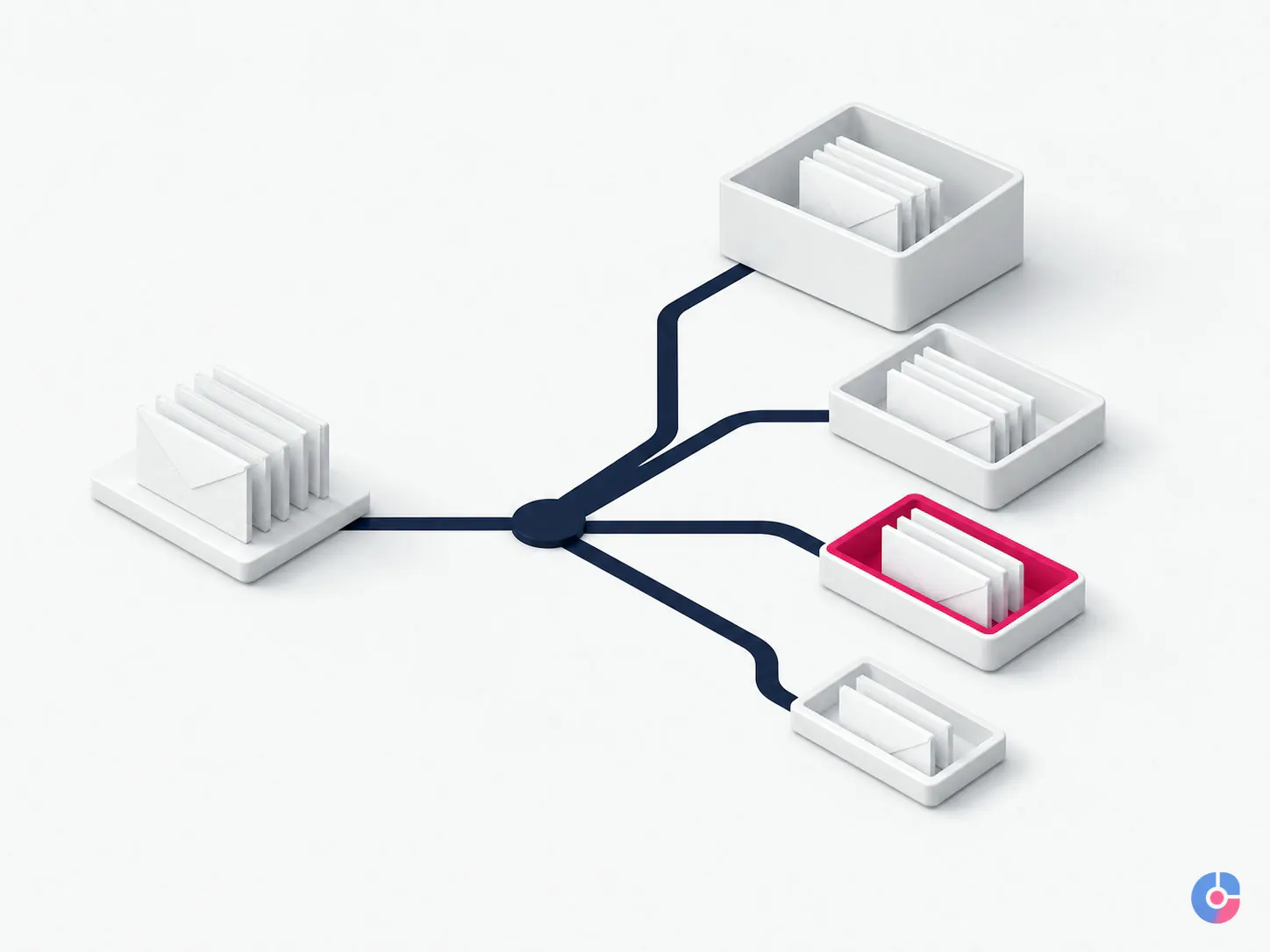
The core rule set gives every in-scope message one state: handle and close, draft for approval, escalate now, or archive with no action. The client signs off the qualifying conditions, exclusions and examples for each. Messages are not left in the inbox merely because the assistant felt unsure; uncertainty itself triggers the documented exception route.
Handle and close
This bucket contains recurring requests the assistant can complete from approved sources and language without the principal. Examples might include sending a current capability document to a recognised contact, confirming receipt, answering a factual administrative question, providing an approved status, declining an out-of-scope solicitation or arranging the defined next step.
The rule names the sender or audience, required identity check, facts that can be disclosed, permitted commitment, template, source of truth and escalation boundary. The assistant adapts wording to the thread rather than pasting blindly. The sent message, action and any follow-up are recorded. A weekly close log lets the principal sample outcomes and see what no longer required attention.
Draft for approval
Here, the assistant prepares a complete response but lacks authority to send it. The principal reviews a decision-ready draft instead of reconstructing the thread. The draft can summarise the request, state missing facts, suggest a position and highlight the specific sentence that requires judgement.
Voice is learned from selected past sent mail, not from indiscriminately reading years of private correspondence. The principal identifies representative examples by audience and purpose. OVELITHUB extracts practical patterns: greeting, directness, sentence length, use of names, how disagreement is framed, what is never promised and how a next step is closed. The voice guide remains a client-owned instruction and is revised through feedback.

Escalate now
This is a short, explicit trigger list. It can include named senders; a same-working-day external deadline; threat, safety or suspected fraud; legal, regulatory, insurance or contract terms; media or public-authority contact; material complaint; data incident; executive relationship risk; and a request outside the assistant’s authority.
Escalation includes sender, subject, why it triggered, deadline and timezone, requested decision, relevant thread context and a proposed next action. The urgent channel and fallback contact are agreed in advance. “Urgent” in the sender’s subject line does not override the client’s severity rule, but a quiet message can still qualify because of its content.
Archive with no action
This bucket creates more value than many clients expect. Newsletters, platform notifications already captured elsewhere, irrelevant vendor pitches, copied threads with no task and expired promotional mail stop being reread. Stable categories can be automated; ambiguous ones remain visible until the rule is proven.
Archive is not delete. Retention follows the client’s policy and system. A message with contractual, financial, employee, legal, privacy or other record value cannot be removed merely because it needs no reply. The rule defines what leaves the active view and what may be deleted under authorised retention.
Authority must be specific enough to use
“Use your judgement” is not an operating rule. Neither is “never send anything without me.” The first hides risk; the second preserves every interruption. A useful rule describes the situation, permitted action, sources, threshold, prohibited commitment, evidence and escalation.
| Decision area | Rule components | Evidence |
|---|---|---|
| Routine information request | Eligible senders, approved document version, identity check, exclusions and send authority | Sent reply and document version |
| Meeting request | Eligible purpose, priority, approved availability source and protected time | Draft or link to the separate calendar workflow |
| Client concern | Language and relationship signals, acknowledgement authority, immediate escalation conditions | Thread summary, risk and next decision |
| Vendor invoice | Receipt acknowledgement and routing only; no bank-detail or payment action | Route, recipient and request reference |
| Unsolicited pitch | Known exclusion criteria, archive or approved decline, retention treatment | Weekly category count and sampled messages |
Rules have owners and dates. When the assistant encounters a new pattern, the principal makes one decision and the playbook captures it. That is how judgement transfers without giving away unlimited discretion.
Follow-up is where valuable threads disappear
A quote was sent but never acknowledged. An introduction was accepted by one side and forgotten by the other. A supplier promised a document. A client said “next month,” and nobody set a date. None of those threads is unread, so the inbox no longer signals the work.
The follow-up register records the thread, relationship, subject, last meaningful action, waiting party, value or importance category, next date, approved nudge, owner and stop rule. It distinguishes a promise the business made from a response it hopes to receive.
- Quotes awaiting reply: nudge on the approved cadence, record the answer and stop after the defined attempts or an explicit decline.
- Unacknowledged invoices: confirm delivery or route the administrative question, but do not change payment instructions or act as the finance approver.
- Introductions: confirm both parties received the handoff and close when the conversation is accepted; do not monitor a private relationship indefinitely.
- Promised inputs: remind against the project date, then escalate when the dependency threatens a committed deadline.

OVELITHUB reports follow-ups due, sent, answered, rescheduled, stopped and overdue. It does not label every reply as revenue or claim that a reminder caused a sale.
The principal keeps context without rereading every thread
Delegation should not create a private information silo inside the assistant. The principal receives a concise rhythm: immediate exceptions through the urgent channel, a daily decision list when needed, and a weekly triage report. The report can include bucket counts, decisions closed, drafts awaiting approval, escalations, follow-ups, overdue dependencies, sender or topic patterns, errors and rules proposed.
Important relationship notes stay in the client’s approved CRM, project tool or mailbox labels rather than the assistant’s personal notes. The principal can sample sent mail and review the close log. If a conversation needs executive relationship management beyond the mailbox, it is routed to executive assistant services; calendar ownership belongs to calendar management services.
Clients need not be told that an assistant prepared every internal draft. External sending authority is agreed by message type, relationship and client policy. The assistant never fabricates authorship, history or a personal interaction. Where transparency or a named functional identity is appropriate, the client determines the signature and disclosure.
Access is delegated; payment authority is not
The named assistant uses an individual delegated account or approved mailbox delegation where the platform supports it. The client retains the primary administrator account. Multi-factor authentication is enabled where available, devices and locations follow the approved policy, and credentials are not sent in ordinary email or chat.
Permissions are limited to the mailbox, folders and functions required. Highly sensitive personal, legal, board, health or employee correspondence can remain excluded or route directly to a restricted folder. Export, forwarding, attachment storage and third-party tool access are agreed explicitly. Activity and sign-in logs are reviewed where the mail platform makes them available.
The assistant does not move money, approve a payment, purchase gift cards, change bank or payroll details, or accept new payment instructions because an email requests it. The FBI’s current business email compromise guidance, checked 2 September 2026, advises verifying changes in account numbers or payment procedures with the requester and using independently obtained contact details rather than those in a suspicious message. OVELITHUB routes such mail to the client’s authorised finance and security process; verification and approval happen outside the email thread.
Offboarding revokes mailbox, password-manager, storage, CRM and communication access on the authorised schedule, closes sessions where supported, transfers open drafts and follow-ups, removes local client data under the agreement and confirms the handback. The rule set and voice guide remain the client’s property.
The first two weeks, honestly described
Week one: observe, classify and write rules
Access begins with the smallest practical scope. The assistant watches a representative flow, classifies messages into the four buckets and drafts proposed actions. Most external replies remain queued for approval. The client explains exceptions and identifies sensitive senders, urgency triggers, prohibited actions, retention and preferred voice.
This week may save little time. It can temporarily require more attention because unwritten rules are being exposed. The outputs are a baseline inbox map, first rule set, escalation list, response examples, follow-up register and access record. A client expecting effortless relief on the first morning has been given the wrong expectation.
Week two: transfer bounded authority
Approved handle-and-close categories move to the assistant. Drafts arrive decision-ready. Urgent triggers use the agreed channel. Proven archive rules can be automated, and follow-ups run to their next dates. The client samples completed work and corrects rules rather than reviewing every routine message.
At the review point, both parties examine accuracy, missed urgency, unnecessary escalations, rework, privacy, voice, follow-up discipline, decisions removed and principal interruptions. Authority can expand, remain limited or be withdrawn by category. If the inbox is unsuitable—for example, almost every message requires non-transferable professional judgement—the trial should say so.
A named assistant works the same inbox each day
The named-assistant model preserves knowledge of senders, rules and current priorities. Coverage is scheduled across agreed USA, Europe or Middle East working hours, with the mailbox’s timezone and review windows stated. A named assistant does not mean uninterrupted availability; leave, backup and out-of-hours escalation require separate agreement.
Backup receives only the approved training and access needed for the agreed contingency. The client knows who can access the mailbox. Any change in personnel follows the same provisioning, confidentiality and review controls as the first appointment.
Measure decisions removed, not messages touched
The weekly report can show messages by bucket; handle-and-close actions; drafts approved, edited or rejected; urgent escalations and whether they were timely; archive-rule accuracy; follow-ups due and completed; decisions returned to the principal; rework and privacy or security exceptions.
A decision removed means the assistant completed a legitimate outcome within approved authority and the principal did not need to intervene. An archived newsletter is useful housekeeping but not equivalent to resolving a client request. A draft that still needs the principal to research the whole thread has not reduced the decision enough.
The target is agreed from the trial baseline. OVELITHUB does not publish an unsupported claim about hours saved or a universal response expectation. Message importance, role, industry, time zone and promised availability differ too much for one benchmark.
What stays outside this inbox service
- Outbound prospecting, sequences, domain configuration and sales-reply handling belong to cold email support services.
- Customer-service inboxes with queues, response commitments and case outcomes belong to email support.
- Calendar architecture, travel and broader stakeholder management are separately scoped assistant functions.
- Legal, medical, financial, HR and other professional judgement stays with the authorised qualified owner.
- Payments, bank changes, payroll details, gift-card purchases and money movement are never authorised from an email instruction through this service.
Hand over one inbox and see what comes back
OVELITHUB will map the mailbox, write the four-bucket rules, assign a named assistant and run a two-week handover with a clear review point. You will see what was closed without you, what still needs judgement and whether the service is genuinely removing decisions.
Hand over one inbox, email support@ovelit.com, or call +880 1707-510532. Browse all digital services.
Keep reading
Related insights

Why Businesses Hire Dedicated Remote Staff
Shared support hides a real cost: context lost every handover. See when dedicated remote staff pay back, and the volume at which…

Why Supervised Remote Employees Matter
Unsupervised remote hires fail quietly for months. See what a supervision layer actually does, who should own it, and what it costs…

Why Soft Skills Matter in Remote Staffing
Technical tests predict less than people expect. See which soft skills actually determine remote performance and how to assess them before you…
Next step
Want this done rather than explained?
Tell us what needs doing and by when. You get a scope, a price range and an honest view of whether this is the right work for you at all.
- You send the brief A few lines is enough. No form fields you have to guess at.
- We reply in one business day With questions if we have them, and a range if we do not.
- You decide, not us No retainer to talk. If it is not our work, we say so.
Ask about BPO Services
We use what you send to answer you. We do not sell it, and we do not add you to a list.