

Web & data
What Database Management Includes
Slow queries, duplicate records and no clear owner quietly cost money. See what database management services cover and how to fix the gaps this quarter.

The dashboard says 4,812 active customers. Finance invoiced 4,706. The ecommerce platform shows 4,931 buyer accounts. Each number is internally plausible, and nobody can explain which one should guide next quarter’s staffing plan. The reporting tool is usually blamed first. The deeper problem is often in the database: three systems use different definitions, duplicate identities and update rules, and no named owner is responsible for reconciling them.
A business can operate with imperfect data. It cannot make reliable decisions on numbers nobody trusts. People begin checking reports by hand, building private spreadsheets and asking finance to confirm every total. The visible cost is not a server outage. It is the hours spent reconciling, the campaigns sent to the wrong records and the decisions delayed because evidence is contested.
Database management is the continuing discipline that prevents that drift. It combines availability, performance, backup and recovery, controlled change, access, data quality and ownership. A one-off cleanup may reduce symptoms; without an operating routine, the same causes return.
What database management actually includes
A database is an organized store of records used by applications and people. Its schema is the defined structure: tables, fields, relationships and rules. Database management keeps that store usable, protected and aligned with what the business means.
A credible scope normally covers:
- inventory and ownership: knowing which databases exist, what uses them, which environment is authoritative and who approves changes;
- availability and monitoring: checking service health, storage, failed jobs, replication and other conditions that can interrupt access;
- performance: finding slow queries, missing or harmful indexes, resource pressure and workloads that need a different design;
- backup and recovery: configuring retention and protection, then proving that a usable database can be restored within business limits;
- data quality: detecting duplicates, missing relationships, invalid values and conflicting definitions;
- change control: reviewing, testing, recording and reversing schema or data changes;
- security and access: limiting identities, privileges, network routes, exports and administrative actions; and
- retention and lifecycle: keeping records only as long as the business and applicable law require, then deleting them through a controlled process.
These activities run on different cadences. Alerts may need immediate response. Backup status may be checked daily. Restore tests, access reviews and capacity trends may be monthly or quarterly depending on risk. Definitions and ownership must be revisited when products, integrations or legal duties change.
Administration, development and ownership are different jobs
Database administration keeps the service running, recoverable and appropriately configured. Database development changes queries, tables, procedures and integrations to support applications. Business data ownership decides what “customer,” “active,” “revenue” or “closed case” means, which system is authoritative and who may change that definition.
One person can cover parts of all three in a small company, but the responsibilities should not disappear into a vague “IT” label. Many growing businesses have someone restarting jobs and adding fields, yet nobody authorized to decide whether a refunded buyer counts as active. Technical management cannot settle a commercial definition on the company’s behalf.
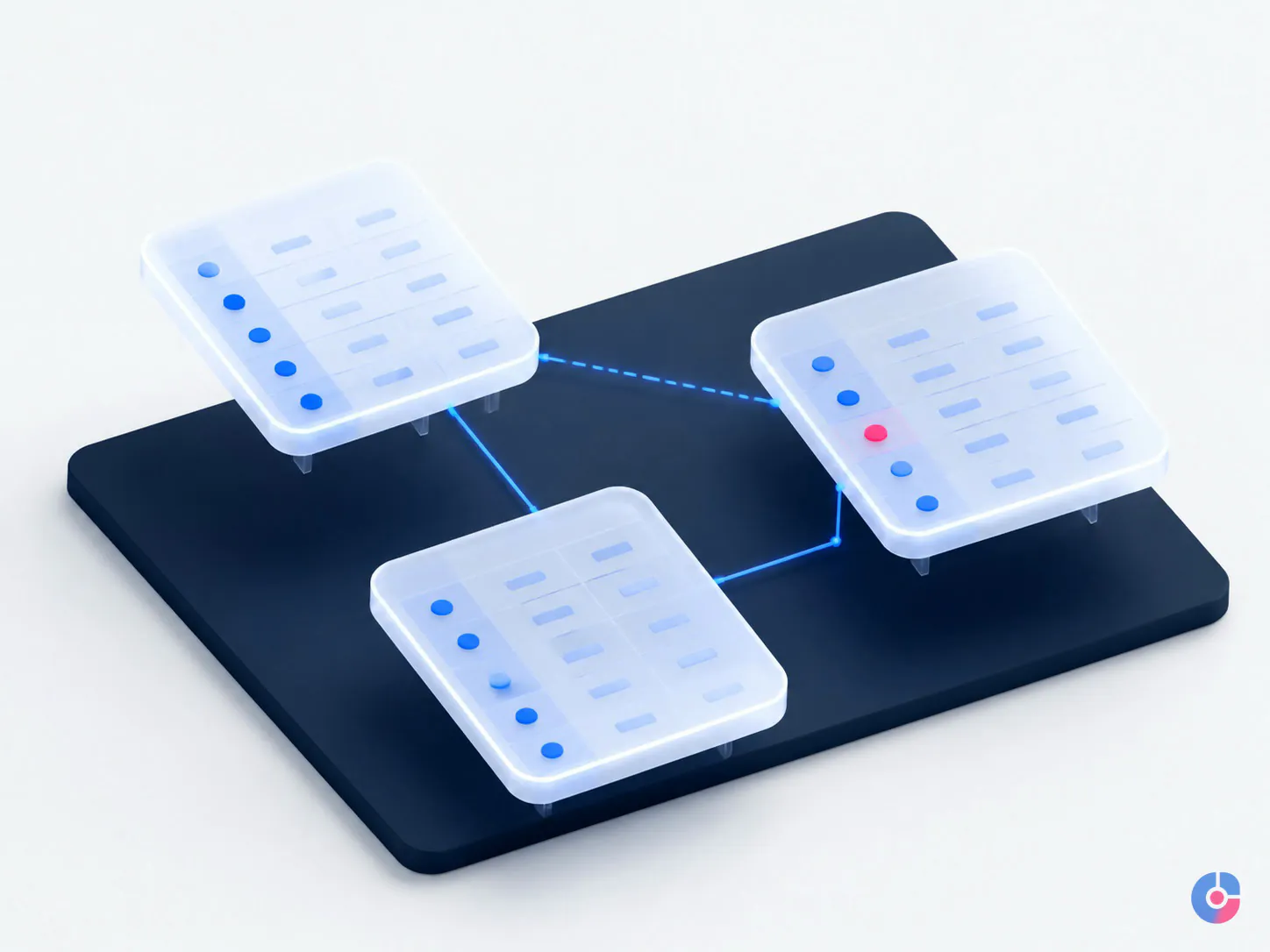
The five ways business databases quietly fail
1. Duplicate and near-duplicate records
“Amina Rahman,” “A. Rahman” and “amina@example.com” may be the same customer, but systems may create three records after checkout, support and newsletter activity. Symptoms include inflated customer counts, conflicting contact preferences, duplicated outreach and separate account histories. The fix starts with matching rules and a durable identifier, not mass deletion based on names alone.
2. Orphaned rows after an integration change
An orphan is a record whose parent or reference no longer exists. A shipment may point to an order that an integration stopped importing, or a case may reference a deleted account. Reports omit or misclassify the record because the relationship is broken. Detecting orphans requires integrity checks and a defined repair path, not just a visual scan.
3. Silent schema drift
The production structure gradually differs from the documented or test structure because urgent fixes were applied directly. One environment expects a field that another lacks, or two teams interpret the same status code differently. Releases become risky and reports change without an obvious business decision. Versioned migrations and a change log make drift visible.
4. Unbounded table growth
Event, audit, message or import tables keep every row indefinitely. Queries that were fast at 100,000 records become slow at 50 million. Backups take longer and storage costs rise. The answer may involve archiving, partitioning, summarized history or a different reporting store, but only after retention and retrieval needs are agreed.
5. Undocumented manual patches
A well-meaning person directly changes records to resolve an urgent invoice or customer case. The immediate issue disappears, but nobody records why the change occurred or whether another system will overwrite it. Repeated patches create data nobody can explain. Use approved scripts or controlled workflows, record the reason and test the downstream effect.
Data quality turns into business cost
One wrong record can send an invoice to a closed address, market to someone who opted out, deny service to a valid customer or leave the company unable to produce a required audit trail. The cost lands in finance, customer support, marketing, compliance and management time—not in an abstract “data team” account.
Gartner’s current data-quality overview cites its 2020 research estimating that poor data quality costs organizations at least $12.9 million per year on average. The figure describes the organizations in that research; it is not a forecast for a 25-person business and should not be copied into a budget. The more useful point in Gartner’s published data-quality summary is that inconsistency across siloed sources is a central challenge.
Consider a worked, non-client example. A CRM counts anyone with an open opportunity as a customer. Billing counts organizations with a posted invoice. An ecommerce platform counts every buyer account, including guests and duplicates. The same person appears under an individual email, a company email and a guest checkout. Leadership receives three customer totals because the systems answer three different questions.
The team agrees that an “active customer” is a unique billing entity with a completed paid transaction in the previous 12 months, excluding fully refunded transactions. Billing becomes authoritative for status, the CRM stores the billing identifier, and ecommerce identities map through a reviewed matching table. No tuning made that decision. Once the definition and identifier exist, engineering can implement it and reporting can reconcile against finance.
Record-level checking and source confirmation may require separate data verification services. Spreadsheet remediation belongs in an Excel cleanup workflow. Database management owns the structural rules and repeatable controls that stop the inconsistency from returning.

Why the application got slow, and what fixes it
A query is the instruction used to read or change database records. Common performance problems are ordinary: the query reads far more rows than it needs, a useful index is missing, a report competes with customer transactions, the application requests the same data repeatedly, or growth has exceeded the original design.
An index is an additional structure that helps the database find certain rows without scanning an entire table. It can speed reads but consumes space and adds work when records are inserted or updated. Adding every suggested index is not a free improvement. Review the slow query, actual access pattern, write volume and existing indexes together.
Start with measured evidence: response time by endpoint, database wait events, expensive queries, rows scanned, connection pressure and change history. Then choose the smallest correction. That may be rewriting a query, adding or removing an index, batching work, caching a result, archiving old rows or moving analytical reports to a replica or warehouse. Test with production-like volume and keep a rollback plan.
A cloud-managed database does not remove this work. Amazon’s RDS responsibility comparison says the service handles areas such as infrastructure, database software patching and managed backups, while the customer remains responsible for application optimization and query tuning. It also notes that performance depends on design, data distribution and workload. Managed infrastructure cannot decide what your query should mean.
Backups, recovery and the test nobody runs
A backup is a retained copy or recovery mechanism. Recovery is the proven ability to restore an acceptable service and data state after deletion, corruption, failure or attack. A dashboard showing successful backup jobs proves that jobs ran; it does not prove that the right database can be restored, that credentials and encryption keys are available, or that the application works against the result.
Set two business objectives. Recovery point objective, or RPO, is the maximum acceptable time between the last usable recovery point and an interruption—the amount of recent data the business can tolerate losing. Recovery time objective, or RTO, is the maximum acceptable delay before service is restored. These definitions follow the AWS Well-Architected recovery guidance.
Do not ask the database administrator to invent those values. Operations must say whether losing one day, one hour or five minutes of orders is acceptable and how long invoicing or customer access can be unavailable. Stricter objectives usually require more replication, automation, isolation, testing and cost.
Schedule a restore test into an isolated environment. Record the chosen recovery point, start and completion times, integrity checks, application validation, missing dependencies and follow-up actions. Microsoft’s Azure SQL security guidance likewise tells customers to test backup and restore procedures and confirm restored databases are functional. Until a restore succeeds, the backup is an assumption.

Access, security and the records you must produce
Give each administrator and service identity its own account. Avoid shared privileged logins that make actions impossible to attribute. Grant the minimum permissions and network routes required for the task; a reporting analyst may need read-only access to selected views, not the ability to change production tables. Use an approved VPN, private network or controlled bastion where appropriate, strong authentication, managed secrets and audited elevation for administrative work.
Encrypt connections in transit and stored data and backups at rest using controls appropriate to the platform and risk. Log access and material changes, protect the logs from routine alteration and review high-risk events. Test offboarding so credentials, tokens, allow-list entries and local extracts are removed when access ends.
Retention is both an operational and legal question. Every kept field must be secured, found when legitimately required and eventually deleted. Define retention by record class and purpose rather than preserving everything “just in case.” Account for replicas, exports, backups and downstream analytics. Legal duties and deletion rights vary by jurisdiction and sector, so have qualified counsel review the schedule.
In-house DBA, cloud service or outsourced team
A full-time in-house database administrator brings deep business context, fast collaboration and direct accountability. The model can be expensive for a small estate, may leave expertise underused and creates continuity risk if one person holds all access and recovery knowledge. Documented procedures, peer review and tested handover remain necessary.
A cloud-managed database reduces infrastructure administration and can provide patching, automated backups, monitoring features and availability options. It does not own business definitions, application queries, access choices, retention policy or the quality of imported data. AWS describes security and data protection as a shared responsibility: the provider protects its underlying service while the customer controls content and configuration.
An outsourced team can provide part-time depth, coverage and separation of duties without a full internal hire. It is genuinely weak on day one: the provider lacks product context, history and informal definitions. Useful onboarding needs an inventory, access path, business owners, runbooks and a controlled observation period. The client must be willing to grant tightly scoped access and answer definition questions.
Make outsourced access safer through named individual accounts, task-specific read-only credentials where possible, an approved VPN or bastion path, recorded privileged elevation, export restrictions, logging, prompt offboarding and a signed data-processing agreement where the provider processes personal data on the client’s behalf. Apply the specific privacy and sector rules that govern the data.
A 30-day plan for a database you inherited
- Days 1–5: inventory. List databases, environments, engines, regions, applications, integrations, backup settings, owners, vendors and every identity with access. Mark unknowns rather than filling them with assumptions.
- Days 6–10: name accountable owners. Assign a technical owner for health and change, plus business owners for core definitions. Establish an urgent route and an approval path.
- Days 11–17: define core entities. Write plain definitions for customer, order, invoice, product, active account and other decision-driving records. Name the authoritative system and identifier.
- Days 18–23: verify recovery. Agree initial RPO and RTO, inspect retention and encryption, restore into isolation, validate integrity and document the result.
- Days 24–30: fix one material quality issue. Choose the inconsistency causing the greatest operational harm, measure the baseline, correct the rule and prevent recurrence before cleaning historic records.
The first four steps mainly cost disciplined attention. Tools may assist, but they cannot name an owner or decide what a customer means. If you want an independent inventory, access review, restore check and prioritized remediation plan, request a database health review.
What good looks like after 90 days
Finance and operational reporting reconcile for agreed core measures. Differences are explained rather than hidden. Every production database has a named technical owner, core entities have business definitions, access is attributable to individuals and changes appear in a reviewable log.
At least one restore has succeeded and its measured result is compared with the agreed recovery objectives. The worst data-quality cause has a prevention control and an exception queue. A short monthly health report shows availability events, backup and restore status, capacity, high-impact performance findings, access changes, schema changes and open risks. It is short because each item has an owner and action.
Hold any provider—including OveliTHub—to that evidence. A green dashboard without a tested restore or definition owner is incomplete. A long technical report that management cannot turn into a decision is also incomplete.
Bring the database inventory, one report that does not reconcile and the latest backup evidence. We will help separate ownership, definition, recovery, performance and quality issues so the first month targets the actual cause. You can also book a free consultation or email support@ovelit.com.
Keep reading
Related insights

Shopify Store Support Services: A Guide
A Shopify store needs weekly upkeep, not occasional fixes. See the support tasks that protect revenue, who should own each, and what…

Shopify vs WooCommerce: Which to Choose
Shopify and WooCommerce both work. The difference is who carries the maintenance and where the cost lands. Compare both against your team…

How to Choose a Web Development Company
Choosing a web development company in the USA or Europe? Use these nine selection criteria to judge proposals, ownership terms and post-launch…