

Web & data
WooCommerce Maintenance Checklist
WooCommerce gives you control and the maintenance that comes with it. See the update, backup and security routine that keeps a store trading safely.

A store owner applies a routine plugin update on Friday afternoon. Product pages still load, so the change appears harmless. An hour later, someone notices that checkout returns an error after payment details are entered. The owner has no staging copy, does not know whether the latest backup contains both files and database, and cannot name the exact version that changed.
The incident was not inevitable. The dangerous part was not the existence of an update; it was an irreversible release with no defined transaction test or recovery path. WooCommerce gives an owner valuable control over hosting, code, extensions and data. That control transfers a corresponding maintenance obligation to the owner.
A useful WooCommerce maintenance checklist makes every planned change testable and reversible. The highest-return habit is therefore not “update less.” It is maintaining a representative staging environment and proving that a complete backup can be restored. Once those exist, security updates and compatibility work become managed changes instead of wagers on a live checkout.
The Friday update that took checkout down
A WooCommerce store is a connected system. WordPress core, WooCommerce, the active theme or child theme, payment gateways, shipping extensions, tax services, product feeds, email delivery, analytics and custom code can all participate in one order. A release can leave the homepage intact while breaking a particular address, payment method, coupon, variation or account path.
That is why “the site loads” is not a post-update test. The store needs a short transaction script covering the paths that create revenue and operational records. The test should run before release in staging and again after deployment using a controlled production-safe method.
The failure also needs an owner. One person approves the change, one performs it, one decides whether tests pass, and one has authority to roll back. In a small store, one qualified person may fill several roles; the decisions still need names and a timestamp.
What self-hosted ownership actually includes
Unlike a hosted commerce platform that operates much of the application and infrastructure as one service, a self-hosted WooCommerce owner coordinates several responsibilities:
- Hosting and runtime: supported server software, PHP and database compatibility, TLS, capacity, storage and a host response path.
- Application currency: WordPress core, WooCommerce, plugins, themes and custom code updates.
- Compatibility assurance: testing the particular combination after updates and before major changes.
- Security: access control, hardening, monitoring, incident response and removal of unused software.
- Recovery: scheduled database and file backups, protected copies, retention and tested restores.
- Performance: page caching where safe, dynamic-commerce exclusions, object/database behaviour, images, queries and hosting capacity.
- Operations: correct products, inventory, orders, refunds, coupons, tax settings, shipping, emails and customer records.
WooCommerce is not “free” in the sense of having no operating cost. Its core software licence and an owner’s total cost are different questions. The flexibility can be worth the trade when the business funds these responsibilities instead of deferring them.
Plugin sprawl expands the compatibility surface
Each plugin is another maintained codebase with its own release cycle, dependencies, settings, data and interactions. The issue is not that third-party plugins are inherently poor; WooCommerce’s extensibility is one of its strengths. The risk grows when nobody can explain why an extension is installed, two extensions overlap, or critical functionality depends on software with no clear owner.
Create an inventory with these fields:
| Field | What to record | Decision |
|---|---|---|
| Purpose | The customer or operational function it supports | Keep only if the function remains required |
| Owner | Who approves configuration and accepts update risk | Assign an owner or retire it |
| Source and licence | Author, repository, renewal and support access | Resolve unsupported or inaccessible software |
| Currency | Installed version, available release and update history | Test, replace or document an exception |
| Dependencies | Theme, gateway, API, PHP or other plugin relationships | Include linked paths in the test script |
| Overlap | Other plugins performing the same or adjacent function | Consolidate where the migration risk is justified |
| Data and removal | Tables, options, personal data and uninstall behaviour | Back up and plan retirement safely |
Use a hard intake rule: no new plugin without a named requirement, an owner, source review, staging test, data review, removal plan and an entry in the inventory. “It might be useful” is not enough reason to increase the store’s maintenance surface.
Deactivation is not removal. Inactive code remains installed on the server and still requires inventory decisions. The official WordPress hardening guidance says unused plugins should be deleted and active plugins kept updated. Remove through the supported uninstall path after backing up and confirming what data the plugin retains; do not delete database tables by guesswork.

Staging plus a tested restore changes the risk
Staging should be isolated from customers and search indexing, protected from unauthorised access and representative enough to test the live path. It needs comparable WordPress, WooCommerce, theme, plugin, PHP and configuration versions. Replace live credentials and integrations with sandbox or safely disabled equivalents.
A backup must cover both the database and files needed to recover the store. The database holds orders, products, settings and other changing records; files include WordPress content, plugins, themes, uploads and configuration. WordPress’s official backup guidance treats database and files as the necessary set, while its update documentation recommends backing up before an update.
A successful backup job proves that something was copied. A restore test proves that the copy, credentials, instructions and people can recover a usable store. Record the recovery date, backup set, destination, elapsed time, problems found and tester. Keep at least one copy outside the production server’s failure boundary and protect backup data to the sensitivity of the live store.
- Set a change window. Review release notes, compatibility declarations, known issues and dependencies. Name the rollback decision-maker.
- Create and verify a fresh recovery point. Confirm database and required files, completion status, location and access. Do not assume a host snapshot covers every component.
- Refresh staging safely. Copy current production into the isolated environment, sanitise or restrict personal data where appropriate, and replace live email, payment and integration behaviour.
- Apply updates in dependency-aware batches. Record previous and new versions. Avoid changing core, theme, every plugin and hosting runtime at once when smaller batches can isolate a problem.
- Run the store test script. Test catalogue, cart, checkout, payment sandbox, tax, shipping, order creation, emails, account flows and the store’s critical integrations.
- Review technical evidence. Check Site Health, WooCommerce Status, fatal-error and relevant gateway logs, template overrides and failed or overdue Scheduled Actions.
- Deploy without overwriting live commerce data. Release approved code and configuration through the documented method. Never replace newer live orders, customers or stock with a stale staging database.
- Run production-safe smoke tests. Confirm key templates and a controlled order path, then watch errors, payments and operational queues through the agreed observation window.
- Roll back when acceptance criteria fail. Restore the known state or revert the release; preserve logs and timestamps for diagnosis after trading is protected.
WooCommerce’s official testing-orders documentation recommends using staging for test orders and warns that tests can trigger emails and integrations. Follow each gateway’s sandbox instructions and prevent staging orders from reaching fulfilment, analytics or customers.
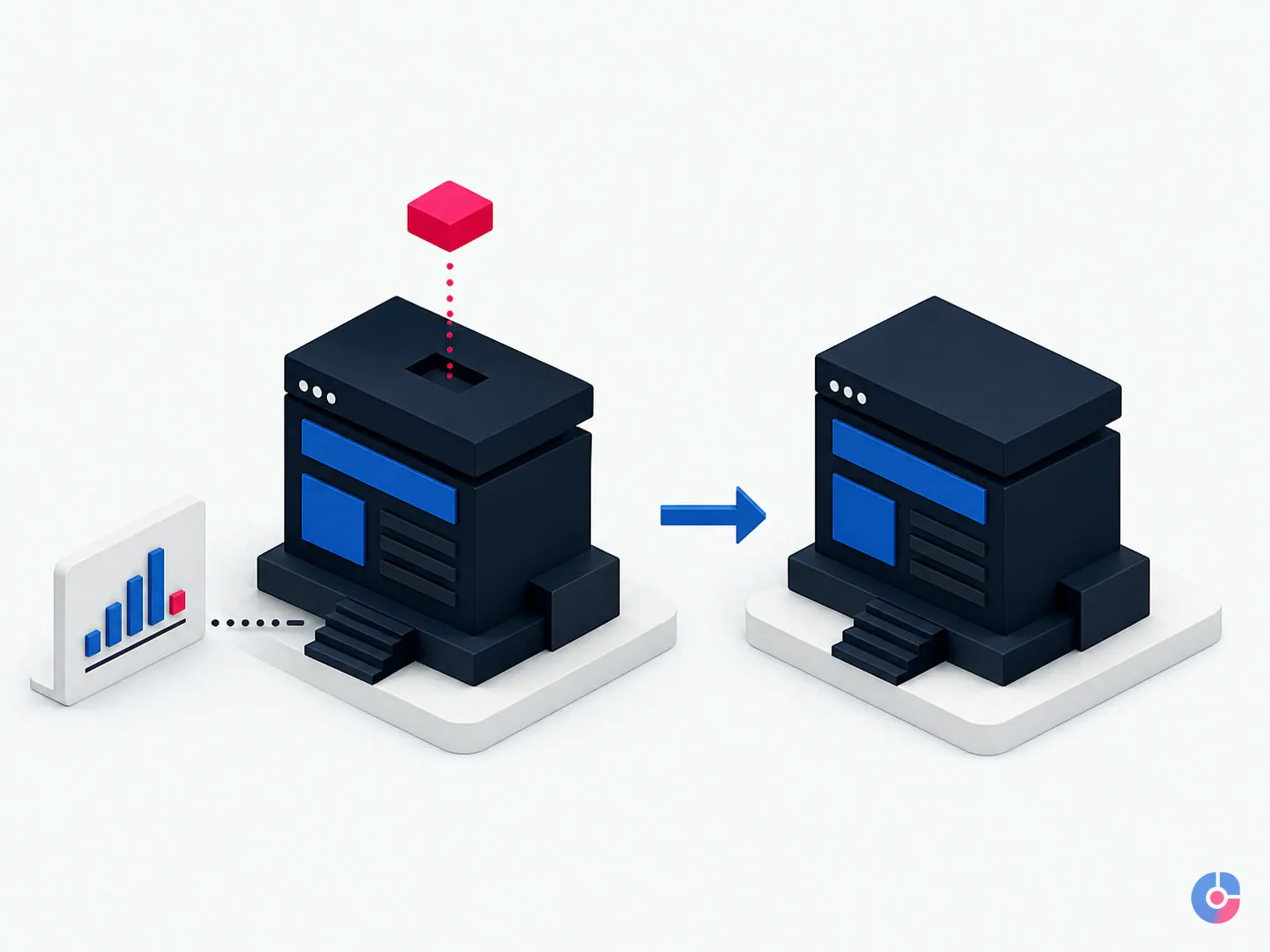
A defined post-update transaction script
Adapt the script to the store, but do not omit the transaction:
- open the homepage, category, search, product and variation paths on desktop and mobile;
- add, change quantity and remove products; verify coupons and cart totals;
- test guest checkout and account checkout where both are supported;
- use representative domestic and international addresses to verify shipping and tax behaviour;
- place sandbox orders through each material payment method, including a declined path where supported;
- verify the order record, status, stock change, payment reference, customer and administrator emails;
- test account creation, sign-in, password reset, order history and saved methods where used;
- exercise refunds, subscriptions, fulfilment exports, feeds or webhooks when the changed component touches them; and
- review browser console, application logs, fatal errors and failed Scheduled Actions.
The security baseline
Security is layered. No checklist guarantees that a store cannot be compromised, but neglecting basic controls creates avoidable exposure.
- Keep supported WordPress core, WooCommerce, plugins and themes current through a risk-based staging and release process.
- Delete unused plugins and themes after confirming the required active/parent theme and a recovery path.
- Use unique named administrator accounts, strong credentials and multi-factor authentication through an appropriate supported control.
- Limit administrator rights to people who need them; give store operations the least-privileged role that supports their work.
- Protect hosting, DNS, registrar, email, payment and backup accounts—not only WordPress.
- Use TLS, appropriate server ownership and permissions, and prevent dashboard file editing where compatible with the deployment model.
- Monitor for unauthorised changes and malware through a qualified host or security service; define isolation, notification and recovery steps.
- Review service accounts, API keys, webhooks and inactive users; revoke access promptly when roles change.
The hardening reference above explains WordPress-specific layers, including file permissions and disabling dashboard file editing. Configuration differs by host and server; have a qualified administrator apply controls rather than copying permission commands without understanding ownership.
A maintenance cadence owners can run

Weekly
- Triage core, WooCommerce, plugin and theme updates; test approved batches on staging.
- Verify backup jobs and spot-check that the expected database and files are present.
- Review failed payments, stuck orders, refund exceptions and unexplained stock issues.
- Check uptime alerts, Site Health, WooCommerce Status, fatal-error and relevant gateway logs.
- Review failed or overdue WooCommerce Scheduled Actions and the underlying cause.
- Run a short checkout smoke test using a safe method.
Monthly
- Review the plugin/theme inventory for need, ownership, support, overlap and currency.
- Measure key templates with the same device, region and method; investigate meaningful regressions.
- Inspect database growth and transients; use documented tools and backups before housekeeping.
- Find broken internal links, missing images and feed or structured-data errors.
- Review administrator accounts, integration credentials, licences and expiring certificates or domains.
- Sample product, price, stock, tax, shipping, coupon and transactional-email accuracy.
Quarterly
- Review PHP, database, WordPress and WooCommerce support status with the host and developers.
- Restore a complete backup into an isolated environment and record recovery evidence.
- Review security controls, users, API access, incident contacts and data retention.
- Walk through the whole customer journey, including account, refund and fulfilment handoffs.
- Test continuity: the primary maintainer is unavailable and the named backup follows the runbook.
- Retire extensions and customisations whose value no longer justifies maintenance.
Need this routine owned rather than merely documented? OveliTHub’s WooCommerce support services can cover planned technical upkeep alongside store operations. Book a free consultation with the plugin inventory, host details, order flows, current backup arrangement and known failure history.
Performance on a transactional WordPress site
WooCommerce contains dynamic, customer-specific paths that cannot be treated like static brochure pages. Cart contents, account data and checkout state must remain correct for the current visitor. WooCommerce’s official caching guidance says Cart, Checkout and My Account should be excluded from page caching and documents relevant session cookies.
Elsewhere, suitable page caching, a content delivery network, optimised correctly sized images, supported PHP, efficient queries and adequate hosting can reduce work per request. Test every layer against logged-in users, carts, variations, geographic pricing and personalisation. A cache hit is not a success if it serves one customer’s state to another.
Look for causes before buying more server capacity. Heavy plugins, repeated external requests, oversized media, slow database queries, high autoloaded options, unprocessed background jobs and low-resource shared hosting can all contribute. Use measurement and logs to isolate the bottleneck. WooCommerce exposes System Status, logs and Scheduled Actions; its Scheduled Actions documentation explains how background tasks depend on WP-Cron by default and how failed actions can be inspected.
The operational work is a separate job
The person qualified to deploy PHP changes may not be the right person to maintain product attributes or handle refunds. Store operations need accountable owners for:
- product titles, descriptions, variants, images, categories and feed requirements;
- price, promotion, coupon, tax and shipping configuration under approved policy;
- stock accuracy and exception reconciliation across channels;
- orders, cancellations, refunds, chargeback evidence and fulfilment handoffs;
- transactional email content, delivery exceptions and customer follow-up; and
- data-quality checks after imports, integrations or bulk edits.
An ecommerce admin support team can own this repeatable work while qualified technical support owns releases and incidents. Separate duties, then connect them through one change calendar and escalation path. Customer conversations are another discipline; route that need to the guide on ecommerce customer support outsourcing.
Who should maintain the store?
A developer on retainer suits stores with custom code, complex integrations and incidents requiring code-level diagnosis. Define included planned work, response windows, emergency availability, testing and what happens when the named developer is absent.
A general WordPress maintenance service can cover updates, backups, uptime and routine security controls efficiently. Confirm whether it understands WooCommerce transactions, tests payment and fulfilment paths, reviews scheduled actions and supports extension conflicts. A plan that only runs automated updates is not complete commerce assurance.
An in-house store assistant can own catalogue, orders, coupons and checks. They should not be expected to diagnose production PHP or database failures without training, access boundaries and technical escalation.
A managed support team can combine store operations with a technical escalation layer, documentation and cover. It costs more than an unattended update plan and should produce more: named ownership, staging evidence, release records, test results, reports and response commitments.
Ask every option what is excluded. “Maintenance” may omit custom code, malware recovery, performance work, content changes, third-party fees, emergency response or store operations. Price comparisons are meaningless until the service boundary and response level match.
Peak-season rules
Set a change freeze before the important trading window. The exact duration depends on release risk and business calendar, but the final fortnight before a known peak is generally the wrong time to add speculative extensions, redesign checkout or change hosting without a critical reason and tested rollback.
Before the freeze:
- complete necessary supported updates early enough for observation;
- run the full transaction script across important devices, payments, coupons, tax and shipping paths;
- perform a restore test and confirm backup frequency against the maximum acceptable order-data loss;
- review capacity and headroom with the host using realistic traffic and transaction assumptions;
- confirm stock, feeds, email, fulfilment and scheduled jobs;
- publish contacts, severity levels, response expectations and rollback authority; and
- prepare customer and internal communication templates without pre-writing unsupported causes.
Security-critical changes can override a freeze, but they still need an owner, recovery point, staging evidence and acceptance test. A freeze controls discretionary change; it does not justify leaving a known serious risk unassessed.
Make every update reversible
WooCommerce control is valuable when the business operates it deliberately. Inventory the stack, keep supported components current, test the whole transaction, separate technical from store-operations ownership, and watch the queues customers never see.
The decisive control is a representative staging environment paired with a complete, tested restore. It turns an update from a one-way action into a release with evidence and a recovery choice. That is the maintenance discipline a self-hosted store requires.
Keep reading
Related insights
Shopify Store Support Services: A Guide
A Shopify store needs weekly upkeep, not occasional fixes. See the support tasks that protect revenue, who should own each, and what…

Shopify vs WooCommerce: Which to Choose
Shopify and WooCommerce both work. The difference is who carries the maintenance and where the cost lands. Compare both against your team…

How to Choose a Web Development Company
Choosing a web development company in the USA or Europe? Use these nine selection criteria to judge proposals, ownership terms and post-launch…