

Healthcare and regulated work
Patient Scheduling Support Services
Scheduling support that confirms, reminds, backfills cancellations from a waitlist and works recall lists, so clinic hours stay full and get paid.
Bought under BPO Services From $350 per agent · live in 1 weeks

At four in the afternoon, a patient cancels tomorrow’s 9:00 appointment. The waitlist contains people who asked to come sooner, but the front desk is answering arrivals, ringing phones and portal messages. By the time anyone works the list, the people most likely to accept have made other plans. The empty slot becomes an empty hour.
A clinic diary is perishable capacity. An unsold product can remain on a shelf; yesterday’s unused appointment cannot be recovered. OveliTHub patient scheduling support gives confirmations, reminders, cancellation backfill and recall work a named operating rhythm, while following the practice’s templates and escalation rules.
The team does not diagnose, triage symptoms or decide clinical urgency. It protects administrative capacity, captures complete booking information and sends clinical questions immediately to the qualified practice team.
The empty slot nobody refilled
A cancellation is not automatically lost capacity. It becomes lost when no one records when the slot opened, checks which patients can use it, contacts them in a fair approved order and closes the outcome before the practical deadline.
The same logic applies earlier in the journey. An unconfirmed booking may need a human follow-up. A reminder sent too late gives the patient no reasonable way to rearrange. A portal cancellation may not reach the person working the telephone queue. A patient who was asked to return in six months may never enter an active recall workflow.
Scheduling support makes those transitions visible. The coordinator knows which sessions have unbooked capacity, which appointments remain unconfirmed, which cancellations have a live backfill window, which waitlist contacts are next and which recalls are due. The practice manager sees the diary as an operating system rather than a static calendar.
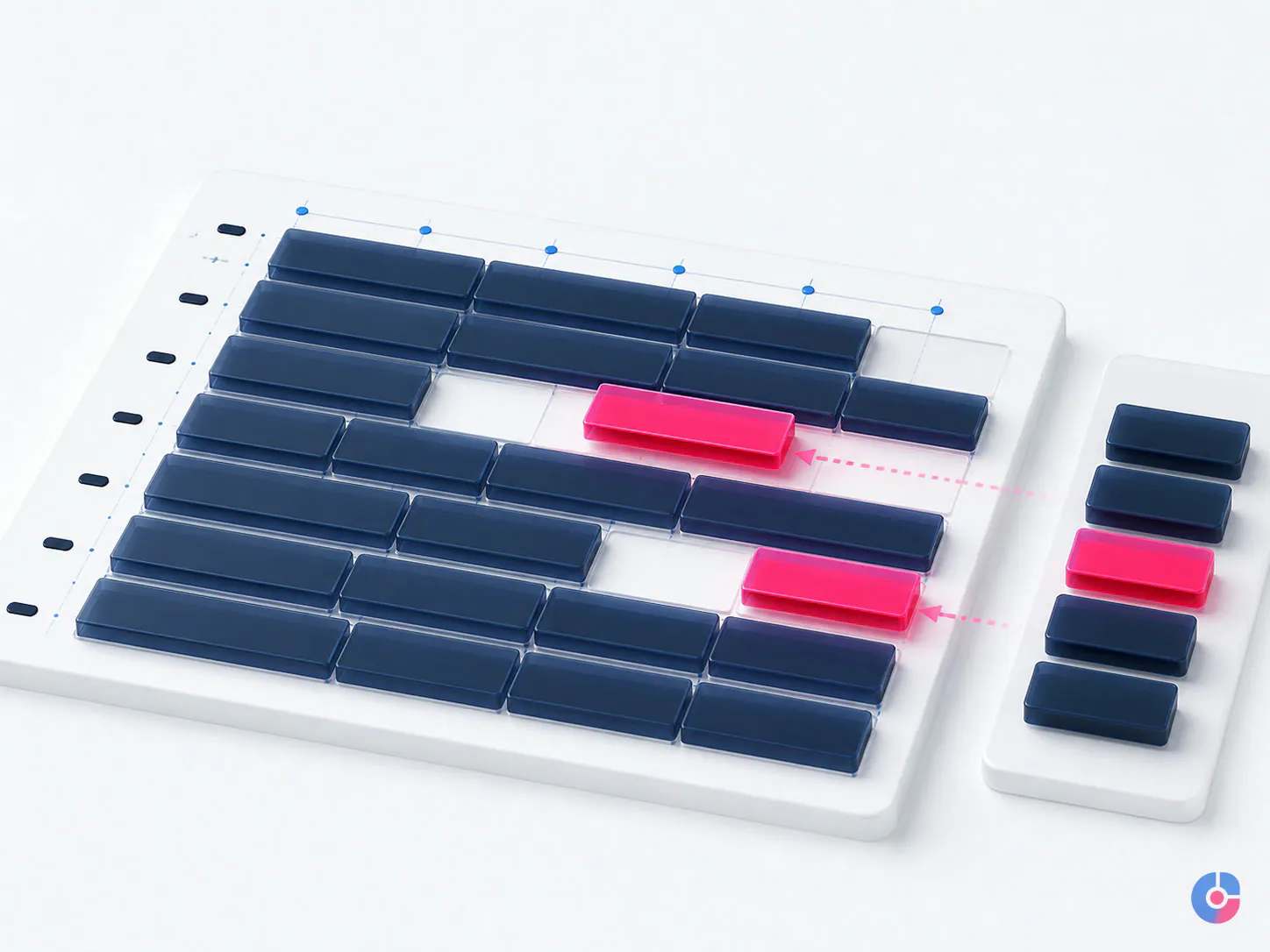
Four levers fill a diary
- Confirmation. Verify that the patient still intends to attend, that date, time, location, provider and appointment type are understood, and that any approved preparation instructions have been delivered through the practice’s authorised route.
- Reminder cadence. Use the approved channel and timing to give the patient a clear way to confirm, cancel, ask an administrative question or request another time while the clinic can still act.
- Cancellation backfill. Treat each released slot as a timed task. Match it against an approved waitlist, follow the contact sequence and update the schedule and every person contacted.
- Recall work. Convert practice-approved lists of patients due or overdue for follow-up into documented contact attempts and bookings, without making clinical recommendations.
Many practices perform reminders but do not connect the response to a backfill process. A patient cancels successfully, yet the capacity is still lost because the schedule, waitlist and coordinator queue are not joined. Others keep a waitlist but fail to record availability constraints, so staff repeatedly call people who cannot use the opening.
OveliTHub defines the handoff between all four levers. A cancellation changes the appointment status, records the reason at the approved level, triggers the correct waitlist view and creates a time-bound task. A completed recall removes or updates the patient’s due status so another staff member does not repeat the contact.
Reminders that patients can act on
A reminder is useful only if it arrives through an appropriate channel, early enough to support action and with an accessible reply path. At booking, the practice records the patient’s approved contact details, communication preference and any confidential-communication request the system supports. Failed deliveries and changed numbers become correction tasks rather than silent confirmations.
The message identifies the practice using its approved name, gives only the information permitted by policy and explains how to confirm, cancel or contact the practice. Sensitive clinical detail does not belong in a routine reminder. The coordinator uses the practice’s templates and does not add a condition, treatment or reason for attendance to make the message seem more helpful.
For US covered entities, HHS states that the HIPAA Privacy Rule permits appointment reminders, while providers should use reasonable safeguards. Its current guidance on patient messages gives the example of limiting an answering-machine message to the provider’s name, number and information needed to confirm an appointment. HHS also explains in its email communication guidance that reasonable patient requests for alternative communication methods should be accommodated.
Those federal points are not a universal messaging policy. Consent, text, telephone, privacy, marketing and sector requirements vary by jurisdiction and message purpose. Before launch, the clinic approves channels, wording, patient preference handling, opt-out or response routing, delivery windows and escalation with appropriate legal or compliance review.
Work the waitlist while the slot still matters
A useful waitlist is not a list of names. Each entry contains the appointment type the practice has approved, provider or location constraints, acceptable days and times, earliest or latest date, reasonable travel or notice requirement, preferred contact route, last contact and current status. The team uses only non-clinical priority rules set by the practice.
When a slot opens, the coordinator confirms that its duration, resource, provider, location and booking rules match the waitlist request. The approved sequence may contact one person at a time for a short response window or a defined group with a clear first-confirmed rule. The choice belongs to the practice and should account for patient fairness, channel behaviour and how soon the appointment occurs.
No patient is told that an earlier appointment reflects clinical priority unless qualified clinical staff made and documented that decision. If a patient reports a new symptom, deterioration or concern, the coordinator stops the administrative script and transfers or escalates according to the clinic’s clinical route. The scheduling team does not interpret severity.
The slot remains a live task until filled, the approved list is exhausted, the practical contact deadline passes or the practice owner decides otherwise. Each attempt records time, channel, outcome and next eligibility. After booking, the original appointment and waitlist entries are updated together to prevent double booking.
Recall lists are known demand, not a background file
Patients on a practice-generated recall list already have a documented administrative reason to be contacted under that practice’s clinical and compliance rules. The scheduling team does not decide who should return or at what interval. It works the list produced or approved by qualified clinic staff.
Each recall campaign defines eligible status, appointment type, provider, location, due window, approved message, attempt cadence, stop conditions and escalation. The coordinator checks whether the patient is already booked, moved practice, declined, requested a later contact or requires a clinical answer. The outcome updates the source system, not a detached personal spreadsheet.
Attempts should be useful and restrained. Repeating the same message through several channels on one day can feel intrusive and may conflict with patient preferences. The practice approves the sequence and the coordinator records every contact. If a telephone number fails, the team follows the approved demographic-correction route; it does not search for private contact details outside authorised sources.
Recall reporting separates due, contacted, reached, booked, declined, deferred, unable to contact and referred for review. “Completed” must not combine a booked patient with one whose number was invalid. The former fills future capacity; the latter exposes a data-quality task.

Stop a booked visit from becoming an unpaid or unusable one
A full diary can still fail if the appointment record lacks the administrative information needed to deliver and bill the visit. During booking or pre-visit review, the coordinator captures the practice’s required demographic, contact, guarantor, referral and insurance fields; checks that images or documents are legible where relevant; and flags missing information before arrival.
The scheduling team does not promise coverage or interpret a benefit response. It identifies the need for a separate check and hands the case to insurance verification support. If the service may require payer approval, it routes the case to the client’s authorised workflow or prior authorization support. Appointment timing may depend on the outcome, but the coordinator follows the practice’s written rule rather than deciding financial or clinical necessity.
Referral requirements, orders, pre-visit forms and administrative preparation are tracked as statuses with owners and due times. A reminder can then address a permitted missing step without disclosing unnecessary detail. Cases still incomplete at the defined threshold reach the practice for a decision; they do not remain scheduled under an assumption that someone else has checked.
Scheduling rules, templates and the coordinator’s limit
Every provider and clinic has constraints: visit types, durations, buffer rules, resources, locations, age or referral conditions, new-patient blocks, procedure combinations, remote-visit eligibility and holds. OveliTHub translates the approved rules into a concise desk guide and test cases. It does not redesign clinical templates without authorised practice leadership.
The guide distinguishes information the coordinator may use from decisions reserved for clinical staff. Administrative staff can match an appointment type already selected under the practice process, offer permitted slots, record stated information and follow an escalation path. They cannot select a diagnosis, advise whether care is needed, interpret symptoms, downgrade urgency or direct a patient to wait.
Anything symptom-related is escalated immediately through the practice’s defined clinical channel. If the clinical team is unavailable, the coordinator follows the approved safety wording and route; OveliTHub does not invent advice. Emergency language, if used, must be supplied and approved by the practice for its market.
Template changes are versioned with approver, effective date and affected providers. The team checks a set of example bookings before the change goes live. A rule that exists only in one receptionist’s memory is a predictable source of rework.
Phones, portal messages and the queue behind them
Scheduling requests may arrive by live telephone, voicemail, portal, website form, email or internal referral. The service plan states which channels OveliTHub covers, the operating hours and what counts as an urgent administrative escalation. All supported requests enter one tracked queue so a portal message is not forgotten while phone calls are visible.
Live answering is available when scoped, staffed and integrated with the practice’s telephone system. Agents use the practice-specific greeting, identity checks, scheduling rules and transfer paths. Patients should hear a competent extension of the practice, not a caller pretending to be physically inside the clinic. If asked, the agent answers identity and location questions truthfully under the approved introduction.
Queue reports show offered calls, answered calls, caller-abandoned calls, answer time, handling time, after-call work, transfers, voicemail work and repeat contacts using agreed definitions. A lower abandonment rate should not be achieved by rushing calls or hiding abandoned contacts. Staffing, menus, call-back options, self-service and recurring reasons are reviewed together.
Non-clinical appointment booking stays distinct from sales appointment setting services and executive calendar management services. A clinical diary has patient-privacy, template, safety and handoff requirements that a general calendar does not.
The agreement and access controls come first
For a US HIPAA-covered arrangement in which OveliTHub creates, receives, maintains or transmits protected health information on behalf of a covered entity or another business associate, no patient information moves until the required agreement and security onboarding are complete. HHS explains in its business associate contract guidance that covered entities and business associates generally must enter into contracts that establish permitted uses and disclosures, require safeguards and reporting, address subcontractors and provide for return or destruction at termination, among other terms.
The clinic determines OveliTHub’s role and the applicable legal requirements with its advisers. The signed business associate agreement or other required data-processing instrument does not replace operational controls. Named accounts, least-privilege roles, multi-factor authentication where supported, approved devices, secure connections, audit logging, incident reporting and a documented offboarding checklist apply.
HHS’s current minimum necessary guidance says covered entities generally should take reasonable steps to limit uses, disclosures and requests for protected health information to what the intended purpose requires, subject to specified exceptions. Scheduling roles are therefore configured around the fields and functions needed for scheduling rather than broad chart access by default.
Patient information stays in approved practice systems wherever possible. It is not sent through personal messaging, stored on local personal devices or entered into an unapproved AI service. Screens, recordings, exports and printed material follow the clinic’s policies, retention and destruction requirements.
What the practice measures
- No-show rate
- Appointments marked as no-show under the practice definition divided by eligible scheduled appointments. Report by appointment type, session and lead time without creating misleading conclusions from small groups.
- Same-day cancellation rate
- Eligible appointments cancelled within the practice’s defined same-day window divided by eligible scheduled appointments. The time zone and cutoff are explicit.
- Released-slot fill rate
- Cancelled or otherwise released slots filled by another eligible appointment before the practical deadline, divided by released slots that could reasonably be backfilled.
- Unbooked capacity by session
- Template capacity left unused, grouped by clinic, provider, day part and appointment type so recurring gaps become actionable.
- Recall completion
- Eligible recall records reaching a defined disposition—booked, declined, deferred, unable to contact or reviewed—while bookings are reported separately.
- Call answer and abandonment
- Answered and caller-abandoned contacts divided by offered eligible calls, with short-abandon treatment, system failures and operating hours defined.
OveliTHub does not apply an internet average for no-shows to forecast a clinic’s return. The review calculates the clinic’s own baseline and segments it by operational characteristics. A percentage without appointment type, lead time, session and process context can point to the wrong intervention.

One-clinic pilot, with the boundary visible
The review starts with appointment templates, booking rules, communication permissions, reminder cadence, waitlist design, recall source, telephone and message queues, system access, clinical escalation and baseline definitions. It returns current utilisation by session, no-show and cancellation patterns by appointment type, released-slot recovery and the three highest-priority administrative fixes.
A pilot then limits scope to one clinic, specialty, provider group or defined workflow. The team tests the rules using scenarios before handling live requests, begins under close review and reports discrepancies daily. The practice hears and approves greetings and scripts. Patient feedback and clinical escalations are reviewed, not hidden inside activity totals.
At the end, the practice can compare filled capacity, backfill speed, recall outcomes, contact-queue performance, booking accuracy, rework and boundary compliance. The recommendation may add coverage, change reminder timing, repair the waitlist, revise a template, improve data capture or keep a function internal.
For a practical overview before outsourcing, read how to improve patient scheduling. Practices needing a broader mix of non-clinical work can review a healthcare virtual assistant or the wider healthcare BPO services model.
Recover the capacity that expires with the day
Start with one clinic or specialty and a clear administrative boundary. The review will show where appointments remain unconfirmed, cancellations go unfilled, recalls stall and front-end information is missing.
Request a schedule utilisation review, email support@ovelit.com, or call +880 1707-510532. Browse all digital services for related healthcare operations support.
Set at the service, not here
The terms every BPO services engagement runs on
The price, the ownership and the renewal terms are the same whichever offering you buy, which is why they are published once rather than restated on every page.
- Starting price
- From $350 per agent per month, in US dollars. 4 hours a day, 5 days a week, one channel, documented SOPs and a monthly QA report. Live in 2 weeks
- Channels
- Email, live chat, phone, social inboxes, CRM and back-office systems
- Coverage
- Hours are stated per desk and written into the agreement, including which of your working days are covered from UTC+6
- Data protection
- UK GDPR Article 28 processor agreement, Standard Contractual Clauses and the UK IDTA where data leaves the UK or EEA
- Quality
- Monthly QA scoring against a rubric you approve, with the sampled tickets attached
- Tooling
- We work inside your helpdesk and your CRM. No forced migration to a platform we own
Which practice management systems do you support?
Support is confirmed against the client’s current system, required functions, available roles, audit capability and training environment. OveliTHub works inside the approved practice platform rather than requiring a replacement merely to provide scheduling. System and integration details are assessed before proposal.
Which coverage hours are available?
Hours are designed around clinic opening, call arrival, provider sessions, reminder responses and cancellation backfill windows. The agreement states days, time zones, holidays, live overlap, after-hours routing and backup. Coverage outside the staffed window follows the practice’s approved route.
Are inbound calls answered live?
Yes, when live answering is included and the practice telephone system supports the approved setup. The scope defines queue, hours, greeting, identity verification, booking permissions, transfers, voicemail and clinical escalation. We do not imply live coverage for hours that are not staffed.
How is the waitlist maintained?
The waitlist stays in the approved practice system where possible. Entries include booking type and non-clinical availability constraints, along with contact attempts, status and expiry or review point. The practice defines any priority logic; coordinators do not assign clinical urgency.
Will patients know they are speaking with an external team?
Agents use practice-approved greetings and terminology and receive system and process training. They represent their role accurately and do not claim to be physically at the clinic. Questions about identity or location are answered truthfully, while clinical matters transfer to practice staff.
Can the team answer symptom questions?
No. OveliTHub provides administrative scheduling support. Any symptom, clinical urgency, treatment, medication or care question follows the practice’s immediate clinical escalation route. The coordinator neither interprets nor advises.
Bought together
Also in healthcare and regulated work
Prior Authorization Support Services
Prior authorization delays cancel appointments and stall revenue. We submit, track and appeal auth requests so your clinical schedule stays full.
What it coversInsurance Verification Support Services
Outsourced eligibility and benefits verification completed before every appointment, with copay, deductible and plan status documented in your system.
What it coversHealthcare Data Entry Services for Clinics
Accurate medical data entry for demographics, charges, lab results and chart backlogs, with double-key verification on the fields where errors cost most.
What it coversNext step
Tell us what you need from Patient Scheduling Support Services
Volume, hours and the systems it has to run in. The first reply carries a scope and a figure rather than a request for the basics.
- You send the brief A few lines is enough. No form fields you have to guess at.
- We reply in one business day With questions if we have them, and a range if we do not.
- You decide, not us No retainer to talk. If it is not our work, we say so.
Ask about Patient Scheduling Support Services
Priced per agent per month. The written procedure comes before the first agent is hired, so say what the work actually is.
We use what you send to answer you. We do not sell it, and we do not add you to a list.